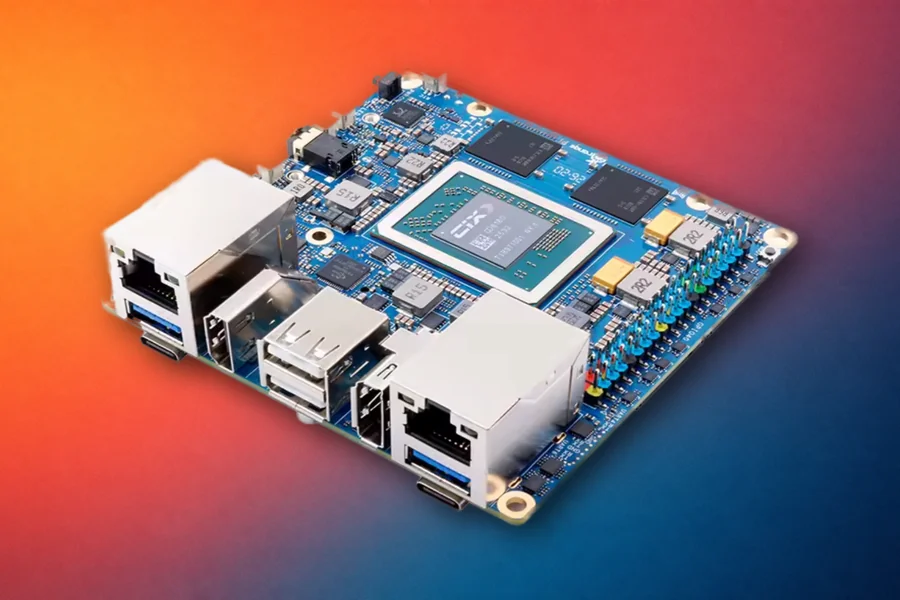
In a guide published on the KiwiPi blog, ten Raspberry Pi alternatives are matched to specific tasks, from AI development and home servers to robotics and compact Linux machines. The list includes the company’s own KiwiPi 5 and KiwiPi 5 Pro, which are clearly labeled and judged by the same criteria as boards from NVIDIA, Radxa, Orange Pi and other makers.
Before comparing any spec sheets, the guide suggests answering four questions. The first is what the board will actually run, since a Linux desktop, an AI model, a NAS, a router and a camera pipeline place very different demands on hardware. The second is which software stack is required. Next comes storage, because eMMC, NVMe, SATA and microSD differ in speed, reliability and how easily they can be replaced. The last is which interfaces are non-negotiable, from Ethernet ports and PCIe lanes to camera inputs and display outputs.
With those answers in hand, the recommendations become fairly direct:
- Least software friction: the Raspberry Pi 5 itself still wins.
- CUDA, TensorRT and computer vision: NVIDIA Jetson Orin Nano Super, with 8GB of LPDDR5 and up to 67 sparse INT8 TOPS.
- Dual 2.5GbE, full-speed NVMe and edge I/O: KiwiPi 5 Pro, built on the full RK3588 with PCIe 3.0 x4 and optional 4G or 5G modules.
- A compact RK3588S board with built-in eMMC: KiwiPi 5, which keeps most of the compute in an 85 x 56mm board with simpler I/O.
- Maximum memory on ARM: Orange Pi 6 Plus, with up to 64GB of LPDDR5, provided the software path is validated first.
- Several NVMe drives and camera inputs: Radxa ROCK 5B+, with two M.2 slots and support for up to four MIPI cameras.
- An x86 NAS or home server: ZimaBoard 2, with an Intel N150, two powered SATA ports and dual 2.5GbE.
- Robotics and open hardware: BeagleY-AI, the board with the most deliberate Raspberry Pi migration path.
- Efficient headless Linux: ODROID-M2, which Hardkernel rates at roughly 1W at idle.
- A compact wireless ARM desktop: Khadas Edge2, with built-in eMMC and Wi-Fi 6.
- Compact routers and NVRs: Banana Pi BPI-M7, with two 2.5GbE ports on a 92 x 62mm board.
Some of the closest calls sit between boards that share a processor. The KiwiPi 5 and KiwiPi 5 Pro both carry a 6 TOPS NPU, but the Pro adds two 2.5GbE ports and a PCIe 3.0 x4 slot for an M.2 2280 NVMe SSD, while the smaller KiwiPi 5 relies on eMMC and microSD with a single Gigabit Ethernet port. The ROCK 5B+ splits its PCIe into two x2 links, which suits several devices but never gives one SSD all four lanes. Details like these decide whether a board fits a NAS, a gateway or a desktop far more than the CPU score does.
A few cautions apply across the whole list. AI ratings are not directly comparable between vendors, since precision, sparsity, supported operators and memory bandwidth can matter more than the TOPS figure. A 40-pin header does not guarantee that Raspberry Pi HATs will work, because voltage levels, reserved pins and device-tree overlays can differ. And all ten boards run Linux, but some need vendor kernels or specific images before the GPU, NPU, camera and video hardware become usable.
The guide’s advice is to treat any of these boards as a new platform instead of a drop-in replacement. Cases, power supplies, camera cables, GPIO mappings and operating-system images often change between boards. The Raspberry Pi ecosystem is still its strongest feature, so switching makes sense when a specific hardware or software need outweighs it.