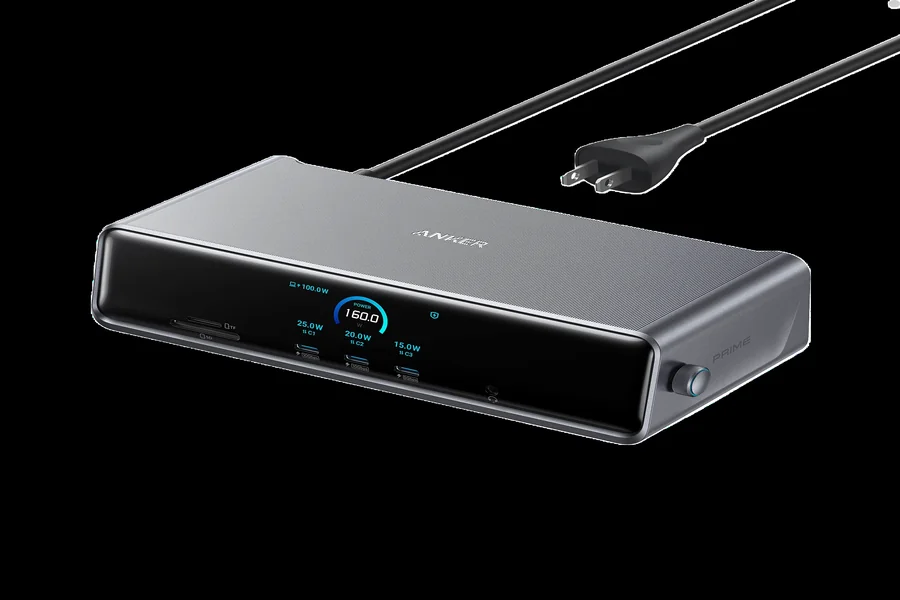
Computers and various modern electronic devices have indeed been very helpful to us in doing many things on a daily basis for instance, transferring files, taking virtual class meetings or getting phone batteries charged up among others, and even the use of external monitors. A major drawback with new laptops is that they often come with fewer ports than older computers which limits their connectivity and therefore limits your ability to plug multiple things into your device at the same time. A hub would help in this by providing more connection points while for compatible devices, a USB C cable is the most efficient way of charging as well as data transfer.
Using such a pair of accessories could easily transform your work space to a more comfortable one without needing a major overhaul of the hardware. Students, homeoffice workers, freelance creatives who work from anywhere, or those who rely on many gadgets will benefit from learning how they operate and what to look out for in the selection.
Compatibility is key besides transfer speeds, energy demands, and general build quality, to be a good basis for making a decision.
What Is a USB Hub And Why Is It Useful?
USB hub are accessories you use to connect a computer or another host device to add ports, which means if your laptop has only one USB port then getting a hub will mean that you can use more than one device like a keyboard, mouse, flash drive, and external storage at the same time.
For people who tend to work with a lot of different devices on their computer, a hub is a time saver as you don’t have to be unplugging each time to connect the next device. You can leave several of them to be plugged in, through the hub. They could have the old style USB-A, USB-C, or even a mix of the two port types. Yet the sheer number of available ports doesn’t always guarantee top results; one must look after the data transfer rate and power delivery limit to know what really will be able to do under that connection.
Understanding How a USB-C Cable Functions
A USB-Type C cable makes things a good deal easier and safer in connecting various digital devices. It has a symmetrical and identical pin layout on both ends which allows it to connect regardless of the direction the plug is plugged into a receptacle. Therefore, with such a cable there will be practically no chance you get stuck trying to figure out which is the right side to face when using devices. Moreover, Type-C is now widely supported for many kinds of devices such as laptops, smartphones, tablets, storage units, and charging accessories.
A single USB-C cable may offer the combination of charging, data transferring, and video output, which will depend on whether one cable meets certain specs and one has the right devices connected. One kind of cable is mainly for fast charging, and another kind comes with high-speed data transfer or advanced display connections support.
How a USB Hub and a USB-C Cable Interplay in Device Connections
A hub paired with its connecting cable is a quite common scenario for device connectivity. For instance, you would connect a USB hub to a laptop using a fitting cable and then use the hub to have a keyboard, mouse, and flash drive plugged into it. This way, a hub acts as a centralized interface for various accessories.
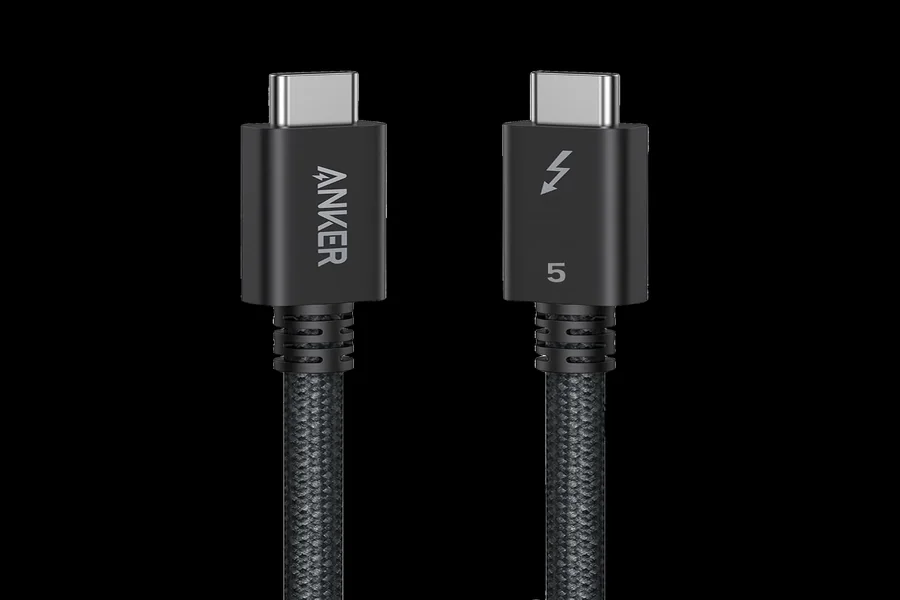
Naturally, a single USB C cable can be also used for linking phone to the computer or for charging one of the accessories. Therefore, for the cable for your hub make sure that it supports required data transfer speed and power capacity by the hub. A charging-only cable might not do a perfect job in high-speed data transfer. Choosing the proper cable ensures that you get out of the accessories what they are supposed to deliver.
Avoiding Mistakes When Buying USB Accessories
Another thing many people do is deciding on the hub by just counting the number of ports they have, without thinking about the performance and capabilities of those respective ports.
Better would be to determine which devices you are going to connect to the hub beforehand and check whether the features required by these devices are supported. In case you are buying a USB C cable, get to know first the level of speed you need for transmitting the data, charging power you require and what the type of its connector should be.
Final Thought
The good choice of peripherals really helps in making everyday gadget life quite manageable. The USB hub allows extra connections for compatible peripherals at same time whereas a USB C cable supports both charging and data transfer as specified on the cable. If you will be using accessories that are compatible with your devices and daily tasks, then you could enjoy better connection experience, get rid of cable-related hassles, and also make the most out of your devices.
Frequently Asked Questions
What Is a USB Hub Used For?
A hub is really an interface which allows you to increase the number ofUSB plug-ins through the use of aUSB port on your desktop. With a USB hub you can have additional ports and be able to, for instance, plug in your keyboard, mouse, USB flash drive, and an external storage device among other things.
Can I Use a USB-C Cable With a USB Hub?
Yes, but it depends on the type of connections the hub makes with the cable and also the level of the functions. In order to be able to transfer a large amount of data or be able to charge the device quickly, you need to have a cable of certain type whose specifications you can verify easily.
Does Every USB Hub Support Fast Data Transfer?
Nope. Different hubs can work at different USB standards and therefore at different speed levels. Only if all of your computer, hub, attached device and cable are of the same speed specification, then the speed would be achieved.