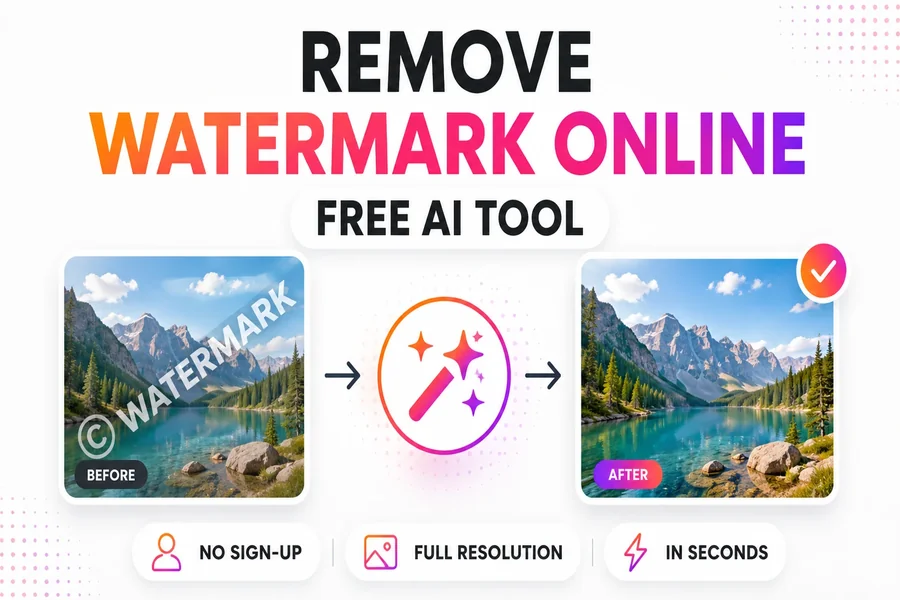
Remove Watermark Online: Free AI Tool in Seconds
Whether it’s a stock photo preview, a supplier product image with a manufacturer logo, a social media screenshot with platform branding, or a personal photo with a camera date stamp — the need to remove watermark online comes up regularly. Phototune.ai uses AI inpainting to reconstruct the background behind any watermark naturally, with no blurry patches, no visible editing traces, and no quality loss. Free, no account required, results in seconds directly in your browser.
Why AI Inpainting Produces Better Results
There are several common approaches to removing watermarks, and they produce very different results. The quality difference comes down to one fundamental question: does the method cover the watermark, or does it reconstruct what was underneath?
| Method | How It Works | Result Quality |
| Blur the area | Covers watermark with a blurry patch | Poor — blurry area is more obvious than the watermark |
| Fill with color | Paints over with flat color | Poor — solid patch is immediately visible |
| Clone stamp (Photoshop) | Copies nearby pixels over the watermark | Variable — patchy on complex backgrounds |
| AI inpainting | Generates new pixels from full image context | High — seamless, natural reconstruction |
AI inpainting doesn’t copy or manipulate existing pixels — it generates what the background should look like based on the surrounding image content. The model analyzes textures, colors, lighting, and structural patterns around the watermark and reconstructs accordingly. The result integrates seamlessly with the rest of the image, even on complex backgrounds like skin, fabric, or natural scenes.
What Types of Watermarks Are Handled
Phototune.ai’s watermark remover handles all common watermark types automatically:
| Watermark Type | Common Source | AI Result |
| Corner logo on simple background | Stock sites, supplier photos, apps | Excellent — instant clean result |
| Diagonal text overlay | Stock photo previews | Excellent — text pixels replaced naturally |
| Date / timestamp | Camera apps, old digital photos | Excellent — corner marks removed cleanly |
| Platform logo | TikTok, Instagram, Pinterest saves | Excellent — social media overlays handled automatically |
| Full-screen tiled pattern | Stock photo protection | Very good — AI detects repeating structure |
| Semi-transparent logo | App branding, photo editor exports | Good — depends on background complexity |
Step-by-Step: Remove a Watermark Online
Step 1: Go to Phototune.ai and open the watermark remover. No account or sign-up needed — works in any browser on desktop or mobile.
Step 2: Upload your image. Drag and drop or click to browse. JPG, PNG, and WEBP up to 10MB are supported. For best results, use the highest resolution version of the image available.
Step 3: The AI automatically detects and removes the watermark. For most common types — corner logos, diagonal text, timestamps, platform watermarks — the result is ready in seconds without any manual input.
Step 4: Check the result in the preview at full zoom. If any traces remain on a complex background, use the manual brush to target the area precisely and let the AI reconstruct it with more focus.
Step 5: Download the clean image at full resolution. No additional compression is applied — output quality matches the original.
Getting the Cleanest Result
- Use the highest resolution version of the image — more pixels give the AI more context for reconstruction
- Check the result at 100% zoom before downloading — small artifacts are easier to spot at full resolution
- For watermarks on highly detailed backgrounds (skin, fabric, foliage), the manual brush gives you precise control for final touches
- PNG format produces slightly better results than heavily compressed JPEG, because there are no pre-existing compression artifacts for the AI to work around
Common Use Cases
E-commerce sellers: product photos from suppliers arrive with the manufacturer’s logo. Removing it before uploading to a marketplace creates a cleaner, more professional listing appearance that builds buyer trust.
Content creators: images saved from social media carry platform logos and usernames. Cleaning them before reuse keeps the content original and consistent with the creator’s visual identity.
Personal photos: camera date stamps, app logos, and filter names burned into photos can all be removed cleanly — making images suitable for printing or sharing without unwanted text.
Marketing teams: updating brand assets or reusing older materials often requires removing outdated logos before images can be incorporated into new campaigns.
Legal Note
Using a watermark remover is legal when the image belongs to you, you have a valid license, or the content is royalty-free and permits modification. Removing watermarks from copyrighted images without authorization is not permitted. Always verify your rights before using cleaned images for commercial purposes.
Try Phototune.ai to remove watermark from any image for free — no account, no software, full resolution output with no watermark added by the tool. Upload, let the AI reconstruct the background, and download a clean result in seconds.